
Hi! I’m Sensei.
“Can’t I use Shopee or Lazada in Japan?”
“I don’t know where to shop…”
Are you having these troubles?
Unfortunately, there is no Shopee or Lazada in Japan.
Instead, everyone in Japan uses Amazon (アマゾン).
Today, I will teach you the “new common sense” for shopping in Japan.

- ⚠️ Shopping on Facebook is too dangerous!
- Amazon is the “Shopee of Japan”
- STEP 0: Change the App to English
- STEP 0.5: Enter Your Address and Phone Number
- STEP 1: Choose “Convenience Store” as Payment Method
- STEP 2: Pay Cash at the Convenience Store
- [Pro Tip] Don’t want it delivered to your dormitory?
- 🛒 What is the “Amazon Card” in stores?
- Summary: Amazon is not scary!
⚠️ Shopping on Facebook is too dangerous!
Just because there’s no Shopee, are you buying things from strangers on Facebook (Marketplace)?
As Sensei, this is what I worry about most.
Buying and selling between individuals on Facebook is full of trouble.
- “I transferred the money, but the item never arrived (Scam).”
- “A broken iPhone arrived, and they won’t give me a refund.”
While you are in Japan, please stop buying things on Facebook.
There are safer and cheaper places to shop.
Amazon is the “Shopee of Japan”
Amazon (アマゾン) is the largest online shop in the world.
Just like Shopee, you can buy anything using just your smartphone, and the following points are very reassuring:
✅ Benefits of using Amazon
- Returns (Refund): If it’s broken, you get 100% of your money back.
- Cash Payments OK (Cash): No credit card needed. You can pay at a Convenience Store (Konbini / コンビニ).
- Fast Delivery (Fast): Often arrives the very next day after ordering.
“But I don’t know how to use it…”
“I don’t have a card…”
It’s okay! From here, I’ll teach you how to use Amazon “without a card (Cash)”.
STEP 0: Change the App to English
If Japanese is difficult, first change the language of the Amazon app.
- Open the app menu (≡)
- Tap “Settings (Settei / 設定)”
- Tap “Country & Language”
- Select English
STEP 0.5: Enter Your Address and Phone Number
When using it for the first time, register your Address (Jusho / 住所) and phone number.
A phone number is absolutely necessary because of SMS authentication.
- Zip Code (Yubin Bango / 郵便番号): You don’t need a hyphen (-).
Example: 1234567 ⭕️ - Address Line 2: Always write the apartment name and room number.
Example: Sakura-so 201 - Phone Number: Write your Japanese mobile number.
*If you don’t have a Japanese number yet, your home country’s number is also OK!
🚫 If you don’t have a phone number…
To use Amazon, you need a phone number.
If you want to get a Japanese number cheaply, check out this article.
Once your address is set, it’s time to start shopping!
STEP 1: Choose “Convenience Store” as Payment Method
After putting the items you want in your cart, proceed to Checkout.
This is the most important part!
On the “Payment Method” screen, ignore the credit card input and choose this one at the bottom.
In Japanese, it says “Konbini / ATM / Net Banking / Denshi Money Barai (コンビニ・ATM・ネットバンキング・電子マネー払い)”.
Select this and “Place Order (Chumon o Kakutei / 注文を確定)”.
STEP 2: Pay Cash at the Convenience Store
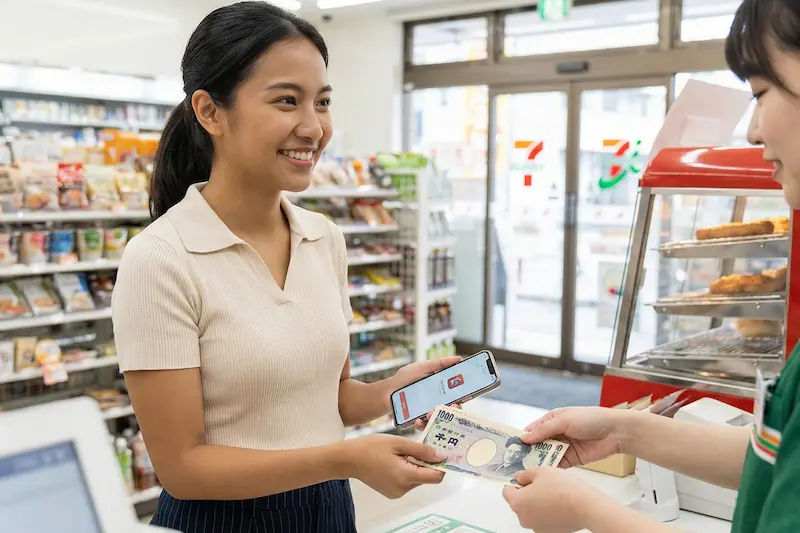
Once the order is finished, you will receive an email from Amazon.
Take the “Payment Number (O-shiharai Bango / お支払い番号)” written in that email to a nearby Convenience Store (Konbini / コンビニ).
🏪 For FamilyMart / Lawson
- Go to the green or red machine (Loppi / FamiPort) in the store.
- Select “Enter Number (Bango Nyuryoku / 番号入力)”.
- Enter the number from the email.
- Take the printed Receipt (Reshito / レシート) to the register and pay.
🏪 For 7-Eleven
- Display the “Barcode (Haraikomi-hyo / 払込票)” from the email on your smartphone.
- Go directly to the register and just show the barcode to the staff!
Once you pay, Amazon will “Ship (Hasso / 発送)” it immediately.
There is no Fee (Teshuryo / 手数料)! It’s Free (Muryo / 無料)!
[Pro Tip] Don’t want it delivered to your dormitory?
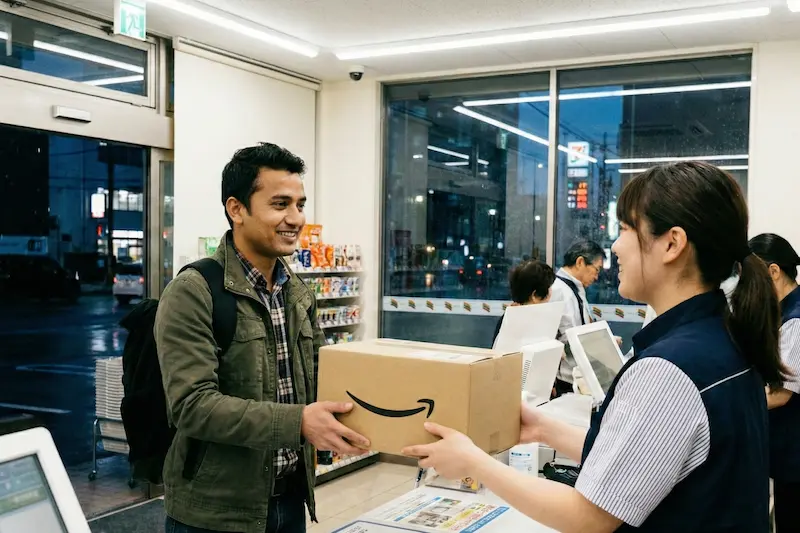
“I’m not home during the day because of work.”
“I don’t want my roommates to see my package.”
In such cases, you can specify a “Nearby Convenience Store (Konbini Uketori / コンビニ受取)” as the delivery destination instead of your house.
Pay at the convenience store on your way home from work and pick up your package right there.
This is the smartest way to shop!
🛒 What is the “Amazon Card” in stores?
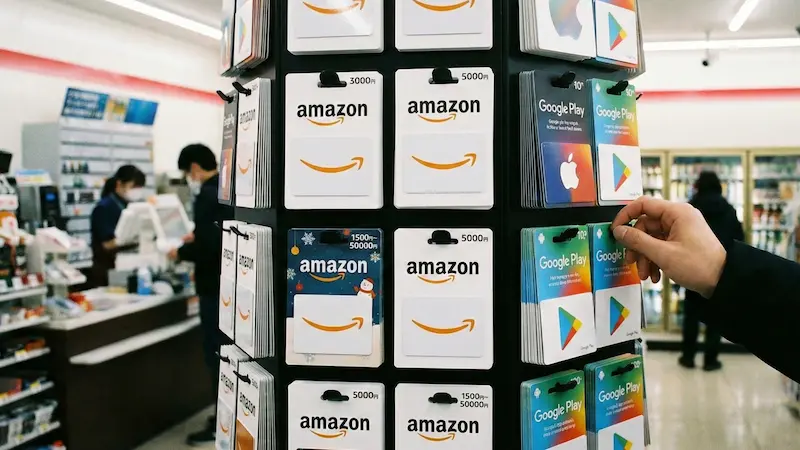
Have you ever seen cards with the Amazon logo near the convenience store register?
That is an “Amazon Gift Card (Amazon Gift Card / Amazonギフトカード)”.
Pros 😊
Convenient when you want to charge a fixed amount (e.g., 5,000 yen) each month.
Cons 😓
You can’t buy in 1-yen units, so it’s a waste if the Balance (Zandaka / 残高) remains.
For beginners, it’s easier and less wasteful to do the “Convenience Store Payment (Cash)” I taught you earlier instead of buying a card.
🚨 Beware of Scams (Sagi / 詐欺)!
If a stranger on Facebook or LINE says this, it is 100% a scam.
“Buy an Amazon card and send me a photo of the Code (Bango / 番号) on the back!”
If you give them the number, your money will be stolen.
Never give the card number to others.
Summary: Amazon is not scary!
What do you think? It’s easy even without a credit card, right?
Amazon Japan has many things that are cheaper and of better quality than in physical stores.
Let’s buy something as practice right away!
Sensei recommends these three items.
👇 Popular items you can buy on Amazon