Hi! It’s Sensei.
“It’s payday and I want to withdraw money, but the Kanji on the ATM are too difficult to understand!”
“I don’t want to press the wrong button and be charged a Fee (Tesuryo / 手数料)…”
Have you ever had that experience?
Japanese ATMs have an English Menu, but you can’t use all the functions through it.
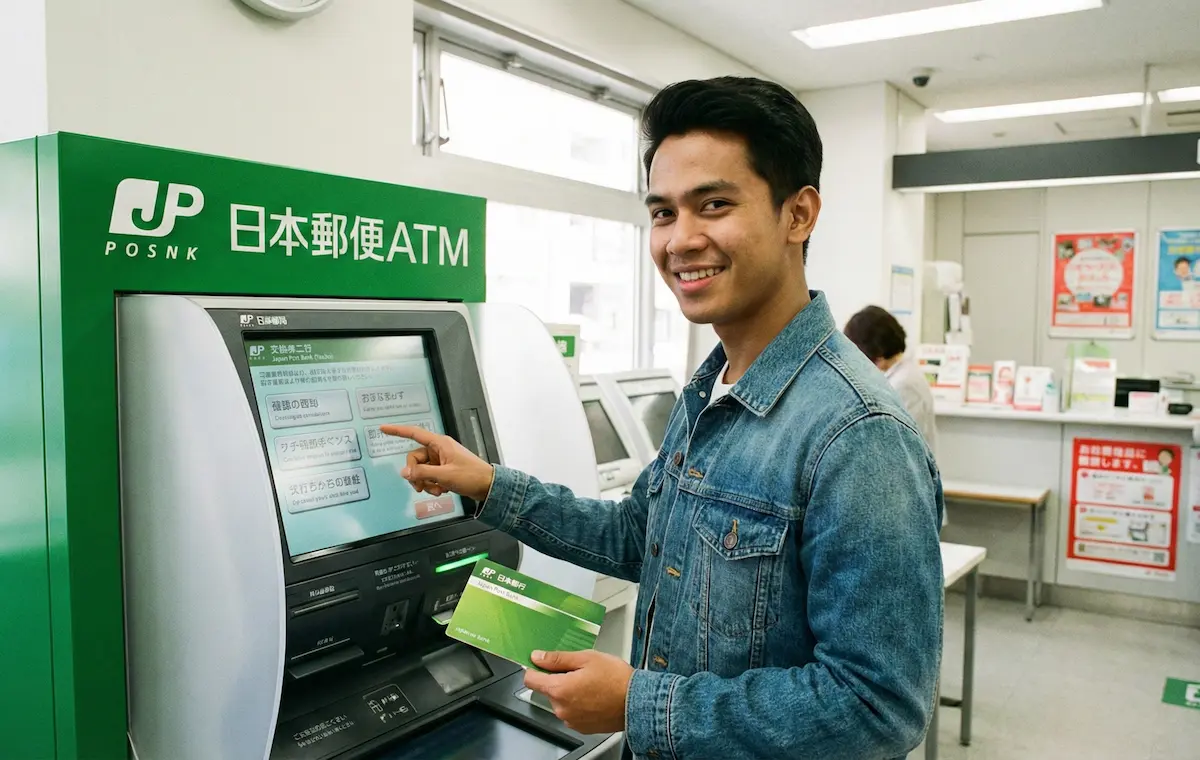
Today, I will teach you **how to use the ATM and the meaning of Kanji at Yucho Bank (Japan Post Bank / ゆうちょ銀行)**, the most important bank in Japan.
Once you remember this, you won’t have to panic in front of the ATM anymore!
1. The “4 Kanji” You Must Remember
Let’s learn the meaning of the largest buttons on the ATM screen.
① お引き出し
Withdrawal (O-hikidashi)
(Take out money)
② お預入れ
Deposit (O-azukeire)
(Put in money)
③ 残高照会
Balance Inquiry (Zandaka Shokai)
(Check how much is left)
④ 通帳記入
Update Passbook (Tsucho Kinyu)
(Record in passbook)
Be careful not to confuse “Withdrawal (O-hikidashi / お引き出し)” with “Transfer (O-furikomi / お振込)”!
If you just want to take out money, it’s the top-left button (Withdrawal).
2. When is a Fee (Tesuryo) Charged?
It’s frustrating to have 110 yen taken just to withdraw your own money. Let’s remember the times when Yucho Bank fees are “Free.”
| Day (Yobi / 曜日) | Free Time (Muryo no Jikan / 無料の時間) |
|---|---|
| Weekdays (Heijitsu / 平日) | 8:45 〜 18:00 |
| Saturday (Doyobi / 土曜日) | 9:00 〜 14:00 |
| Sun/Holiday (Nichi・Shuku / 日・祝) | Always charged (Yuryo / 有料) |
※This is when using a “Yucho Bank ATM.”
Be careful: if you withdraw from a Convenience Store (Konbini) like 7-Eleven or FamilyMart, **you will always be charged a fee (220 yen ~)**!
3. Change of Address (Jusho Henko) is Required After Moving!
This is the most important part.
When applying for a SIM card or Credit Card, **if the address registered with the bank and your current address are different, you may fail the screening.**
If you have moved, go to a nearby Post Office (Yubinkyoku / 郵便局) and have them change your address.
- Residence Card (Zairyu Card / 在留カード)
- Passbook (Tsucho / 通帳)
- Stamp (Inkan / ハンコ)
Summary: Master the Bank to Make Life Easier
Using a translation app in front of the ATM is hard. Take a screenshot of the “4 Kanji” in today’s article and keep it on your phone.
Once you can use your bank account properly, let’s lower your phone bill next!
With a **SIM card that supports Bank Transfer (Kouza Furikae / 口座振替)**, you can get a contract even without a credit card.